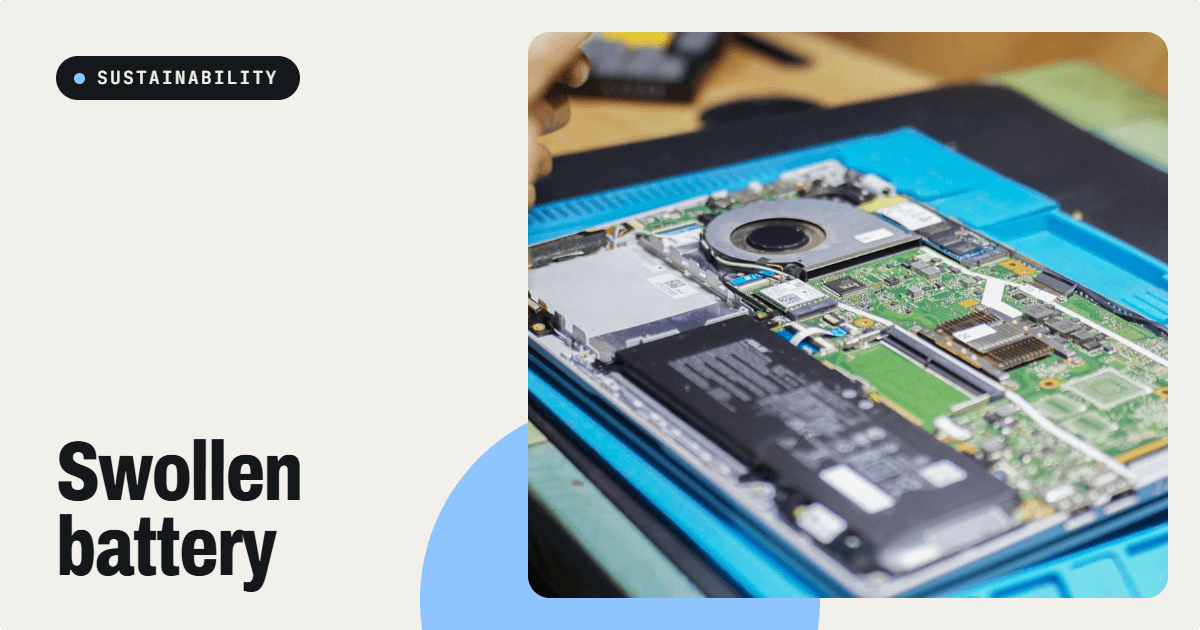
Quick answer: If a laptop battery appears swollen, the touchpad or keyboard is lifting, or the casing is separating, stop using and charging the device. Do not puncture, press, heat, bend or try to flatten the battery. Arrange assessment by a qualified repair or battery-handling professional and confirm a safe disposal route. A swollen lithium-ion battery can present a fire hazard.
Signs of possible battery swelling
Symptoms include a raised trackpad, uneven keyboard, bulging bottom cover, widening seams or a laptop that rocks on a flat desk. These signs can have other causes, so a technician should assess the device. Microsoft's battery-care guidance says severely deteriorated batteries can expand and advises stopping use immediately if expansion exceeds the device enclosure.
Immediate safety checklist
- Stop charging and using the laptop. If it is safe, shut it down and disconnect the power adapter.
- Do not apply pressure. Avoid forcing the case closed, pushing the touchpad down or piercing the battery.
- Keep it away from heat and combustible materials. Follow the manufacturer's instructions and seek professional advice on temporary isolation.
- Do not attempt a home battery extraction. Internal lithium batteries can be damaged by bending, puncture or unsuitable tools.
- Contact a qualified service provider. State clearly that the battery may be swollen before booking collection or transport.
- Escalate emergencies. If the device is smoking, hissing, very hot or burning, move away, warn others and contact local emergency services. Do not attempt normal handling.
Why swollen batteries cannot go in ordinary rubbish
The US Environmental Protection Agency explains that lithium-ion batteries and devices containing them should not be placed in household rubbish or mixed recycling, because they can ignite when crushed or damaged. It also advises contacting manufacturers or suitable waste-handling providers for swollen batteries. These are general safety principles; UAE collection and transport arrangements must be confirmed with a qualified local operator.
Repair, replace or retire the laptop?
| Situation | Potential next step | Important check |
|---|
| Otherwise working laptop | Professional battery replacement assessment | Possible chassis or touchpad damage |
| Old laptop with several faults | Compare repair and safe replacement | Parts availability and software support |
| Unsafe or uneconomical device | Specialist electronics and battery recycling | Confirmed acceptance and transport method |
Do not make the decision using a fixed repair-cost percentage alone. Device value, safety, remaining software support and parts availability matter.
Information to share with a repair provider
Provide the exact model, visible symptoms, whether charging still works, and any history of impact, heat or liquid exposure. If files have not been backed up, tell the technician. Powering on an unsafe device solely to retrieve data is not recommended. Ask about professional data-recovery options, the correct replacement battery, the quote and what happens to the old battery.
Safe recycling in Dubai and Sharjah
Not every public electronics drop-off box accepts damaged lithium batteries. Confirm the operator's acceptance policy, packaging requirements and transport instructions before visiting or requesting collection. Rekart's recycling page includes electronics and batteries, but a swollen battery needs explicit acceptance and safe-handling confirmation. For repair enquiries, see Rekart device repair. This guide does not promise a collection time, fee or hazardous-battery certification.
How to reduce battery wear on your next laptop
- Keep vents clear and avoid excessive heat, especially inside a parked car.
- Use a suitable charger and follow manufacturer battery-care instructions.
- Where supported, consider charging limits for laptops kept plugged in much of the day.
- Pay attention to unusual heat, abrupt shutdowns and case deformation.
- For refurbished laptops, request a battery-health report and inspect the physical condition before buying.
Frequently asked questions
Can I keep using a slightly swollen battery?
No. Stop using and charging the device and arrange professional assessment.
Can a swollen battery be flattened or repaired?
No. Do not press, puncture or reshape it. A technician can assess safe replacement.
Can it go into an e-waste collection box?
Only if the operator explicitly confirms it accepts damaged lithium batteries and provides suitable handling instructions.
Should I turn on the laptop to erase files before recycling?
Do not power on an unsafe device solely to erase data. Ask a qualified provider how data security will be handled.
Review Rekart repair and Rekart recycling for enquiries. Safety sources: Microsoft battery care and EPA lithium-ion FAQ.
#swollen laptop battery uae
#laptop battery swelling dubai
#safe lithium battery recycling sharjah
#bulging laptop battery
#laptop battery repair uae
#e waste battery disposal